New: Philter One, a redaction box for your office, is coming soon. Learn more →

Contact Us

Tell us about your stack and the privacy problems you're trying to solve. We typically respond within one business day.

Prefer email? support@philterd.ai

Please do not enter PII or PHI in this form. If you need to share an example, use a sanitized one.

Human-in-the-loop PII redaction

Arbiter

Arbiter is the human-review surface for redaction pipelines, and you decide how much of the review the automation handles. Confident detections can be pre-accepted, and a document with nothing left to decide is approved without per-span review unless it is sampled for audit. Reviewers see the rest in context, accept or override each automated decision, and apply structured exemption codes that flow back into your audit trail. Arbiter was built for AI training-data preparation, healthcare de-identification, and legal e-discovery.

View on GitHub

Human review in context

Arbiter shows each span sent for review in context. A reviewer accepts the automated decision, overrides it, or applies a structured exemption code, and every choice flows back into the audit trail.

intake-0942.txt reviewer: j.okafor · 6 of 6 spans reviewed

Patient Margaret CollinsPERSON, DOB 04/12/1978DATE_OF_BIRTH, was seen by Dr. Howard BanksPERSON at the cardiology clinic. Follow-up sent to hbanks@stlukesmed.orgEMAIL and (555) 342-9187PHONE. Chart MRN-4471820MRN · PROVIDER-REF.

Accepted · will redact Overridden · kept in place Exempt · reason code applied

Every decision, and the reviewer who made it, is written to the audit trail alongside its exemption code.

Why Arbiter

Human-in-the-loop review

Detected PII spans appear in context with accept, override, and exempt controls. Automated detection covers the volume it is confident about, and reviewers handle the cases that need human judgment without reading every document end to end.

You set the balance

Each batch has a confidence threshold. Detections at or above it arrive pre-accepted, and the rest wait for a reviewer. Lower it to let the automation decide more, or raise it to send more to reviewers. Per-type weights set how much each kind of PII counts toward a document's risk score, which approval rules can act on.

Automation stays accountable

An audit sampling rate pulls a share of would-be auto-approved documents back into review. Blind double review sends a random sample to a second reviewer, and approval rules require a second sign-off on documents that contain sensitive identifiers, score high on risk, or meet other conditions you choose.

Full-text search across documents

Find documents by content, by detected entity type, by reviewer status, or by any combination. Filter to needs review, exempted last week, or reviewed by alice@ with the same query interface.

Structured exemption codes

When a detected entity shouldn't be redacted (a medical condition that's also a famous person's name, public-record content, an organization name that's not actually PII), apply an exemption code with a reason. The codes flow into the audit trail for downstream compliance review.

Pluggable data sources

Import documents from OpenSearch, Elasticsearch, any RDBMS, or local files. The same review workflow regardless of where the source data lives.

Built on Philter

Detection comes from the same Philter API that powers your automated pipeline. Same policies, same entity types, same confidence scores. Arbiter adds the human-decision layer on top of an automated foundation.

Reporting that compliance asks for

Per-reviewer throughput, per-entity-type exemption rates, per-document review status, time-to-completion histograms. The artifact your compliance team actually wants to see when they ask how the human-review layer is performing.

See it in action

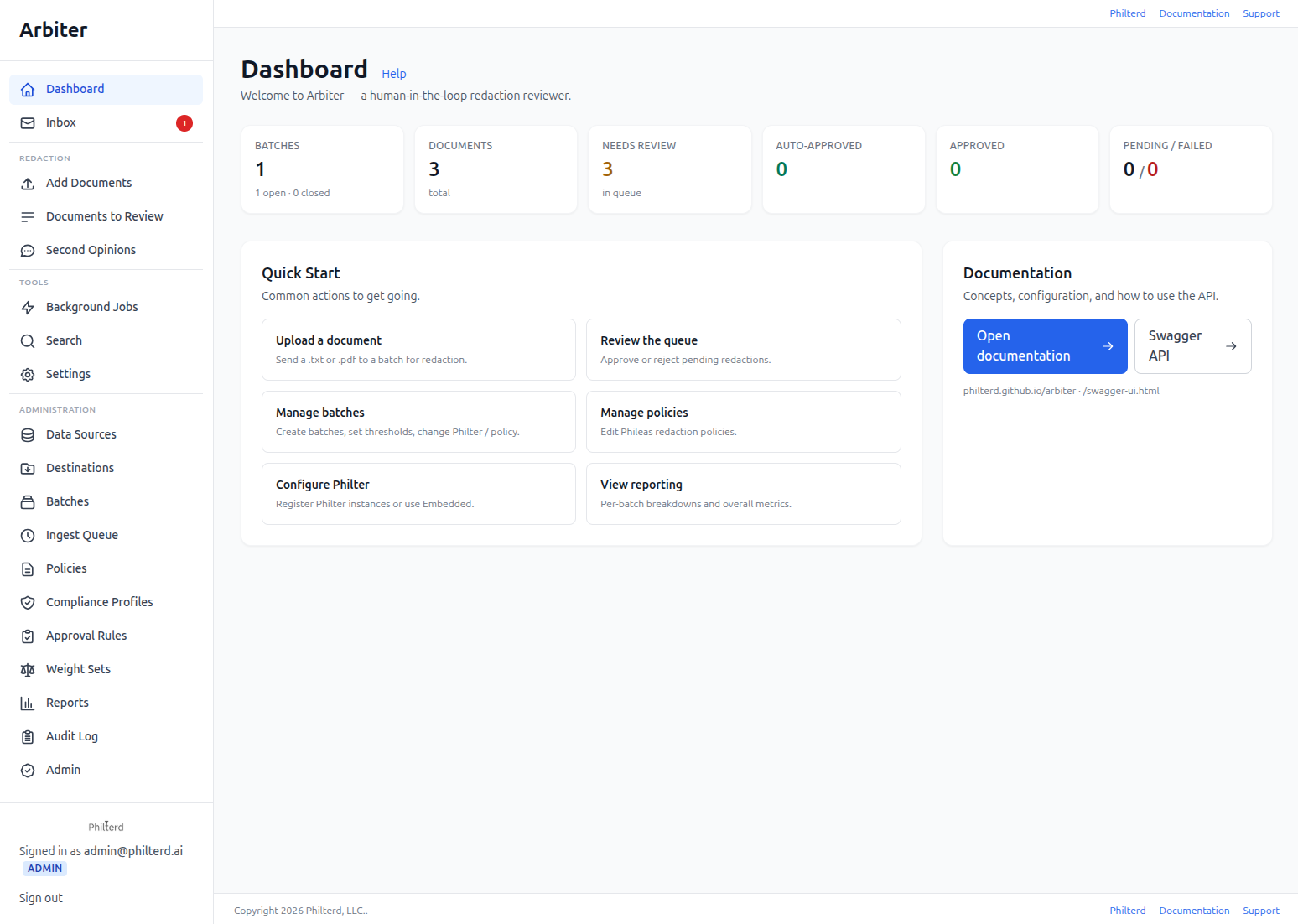
Arbiter surfaces every detected PII span in context alongside accept, override, and exempt controls, so reviewers can move quickly without reading documents end to end.

Arbiter review interface showing detected PII spans in context with accept, override, and exempt controls
Development moves quickly. Screenshots may not always reflect the current version.

Frequently asked questions

If something here isn’t covered, get in touch and we’ll answer.

What is Arbiter?
Arbiter is the human-in-the-loop review surface for PII redaction pipelines. Reviewers see every detected PII span in context, accept or override the automated decision, and apply structured exemption codes. You set how much the automation decides on its own and how much goes to a person.
How much of the review can be automated?
As much as your data and your risk tolerance support. Each batch sets a confidence threshold at or above which detections are pre-accepted. A document whose detections are all pre-accepted, or that has none, is approved without per-span review. An audit sampling rate still sends a share of those documents to a reviewer, so the automated decisions are checked too. Pre-accepted does not mean certain. Detection is probabilistic, so start conservative, use Arbiter's reports and Philter Scope to see how the automation performs on your documents, and adjust from there.
How does Arbiter work with Philter?
Detection comes from the same Philter API that powers your automated pipeline: same policies, same entity types, same confidence scores. Arbiter adds the human-decision layer on top of that automated foundation, so the spans a reviewer sees are exactly the ones your pipeline detected.
What are exemption codes?
When a detected entity shouldn't be redacted (a medical condition that's also a famous person's name, public-record content, an organization name that isn't actually PII), a reviewer applies a structured exemption code with a reason. Those codes flow into the audit trail, so downstream compliance review can see not just what was redacted, but what was deliberately left and why.
Where can Arbiter pull documents from?
Arbiter has pluggable data sources: import documents from OpenSearch, Elasticsearch, any RDBMS, or local files. The review workflow is the same regardless of where the source data lives.
Who is Arbiter for?
Any workload where automated detection needs human judgment on the remaining cases: AI training-data preparation, healthcare de-identification, legal e-discovery, and similar. Reviewers move quickly because they see detections in context with accept, override, and exempt controls, instead of reading every document end to end.
How do I run Arbiter?
Arbiter ships as a Docker image: pull it, run it, and open it at http://localhost:8080.
Is Arbiter open source?
Yes. Arbiter is open source under the permissive Apache License, version 2, on GitHub.

Ready to use Arbiter?

Three ways to get going: deploy the open source yourself, spin it up from a cloud marketplace, or work with our team directly. Pick the path that fits.

See your options