
Redact PDFs Offline on Windows so No Data Leaves Your PC
Most redaction tools that turn up in a search for “redact PDF” want you to upload the file first. For a holiday itinerary that is a reasonable trade. For a client’s medical records, a court exhibit, or an underwriting file, uploading the document to someone else’s server is the thing you were trying to avoid, and it usually happens before anyone has read the privacy policy.
Philter Desktop is a Windows application that does the same job without the upload. It opens the PDF on your computer, finds the personal details, and writes a redacted copy next to the original. There is no account, no service to keep running, and no network call at any point in the process.
Why a PDF is the awkward format
A Word document is text with formatting around it. A PDF might be that, or it might be a photograph of a page with no text in it at all, and the two cases need completely different handling. Scanned intake forms, faxed records, and anything that has been through a copier tend to be the second kind.
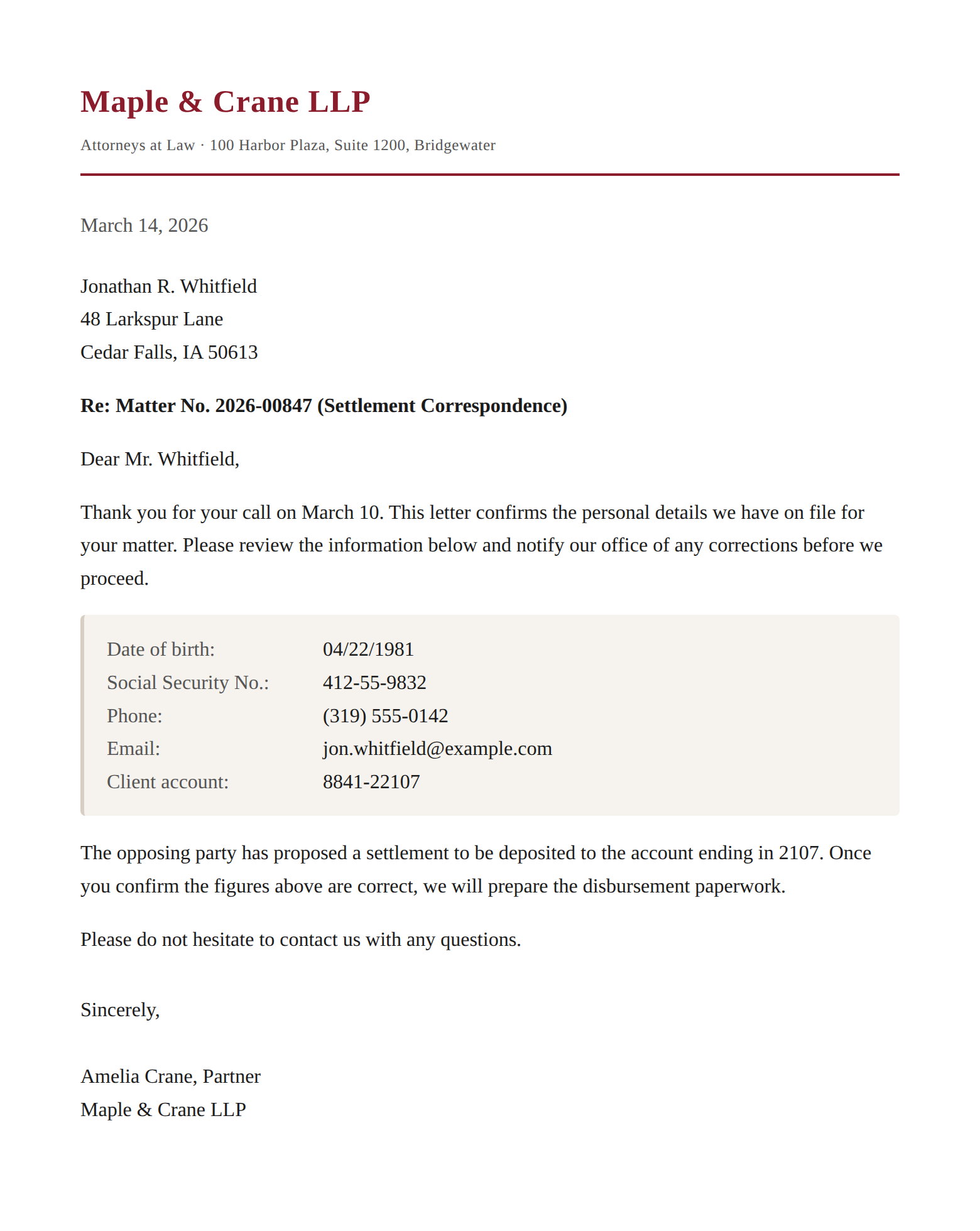
The other problem with PDFs is that drawing a black rectangle over a name does not remove the name. The rectangle is a new object painted on top, and the original text is still sitting underneath it in the file, available to anyone who selects the text or runs an extraction tool over it. This is the mistake behind a long series of embarrassing document releases, and it is easy to make because on screen the redaction looks finished.
What happens to the file
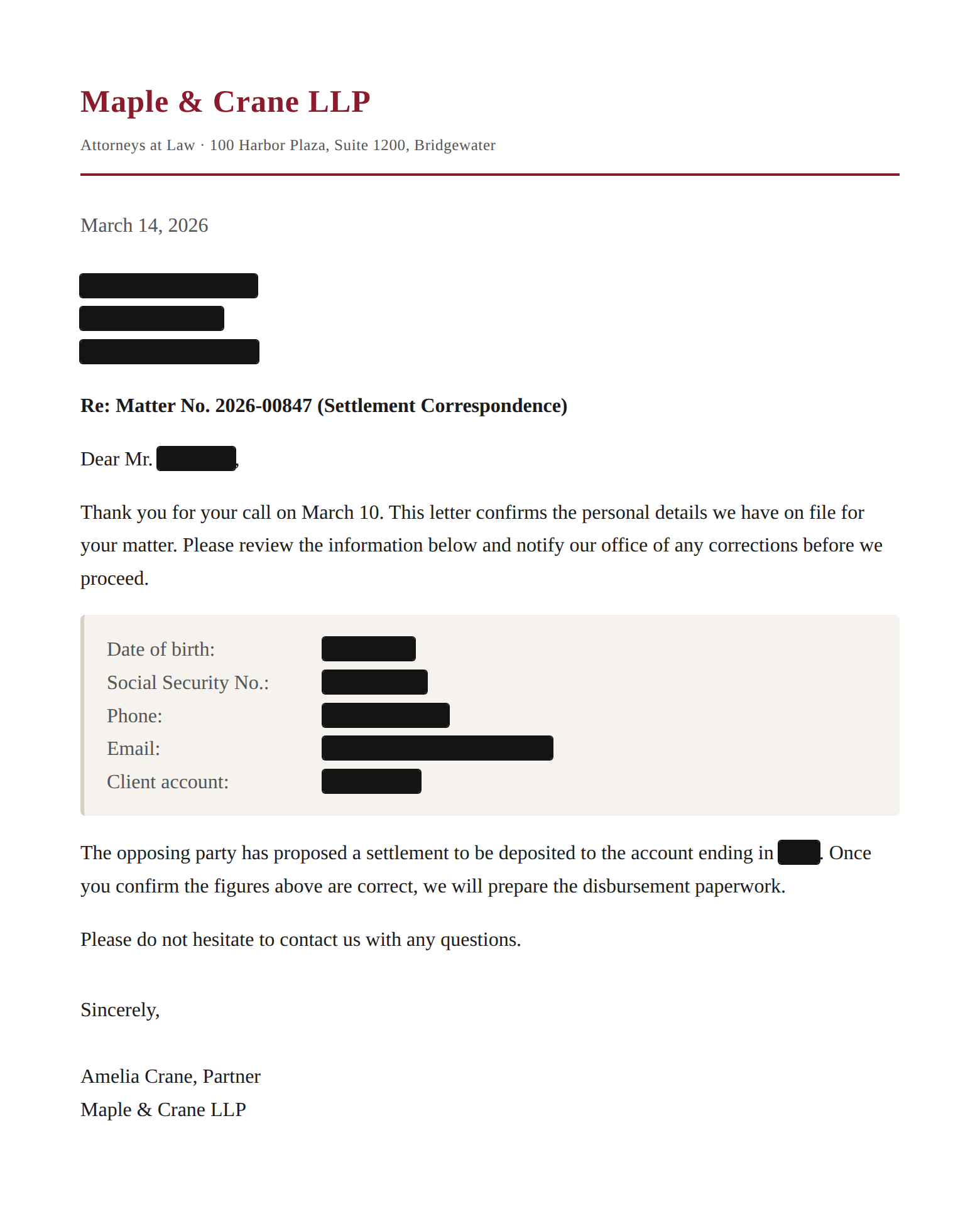
Philter Desktop always writes a new copy and never modifies your original, which matters more than it sounds like it does when the original is the file of record. For PDFs it flattens the page to an image, so there is no live text layer and no hidden object left underneath the redaction boxes for someone to recover later. For the other formats it handles, the underlying content is replaced rather than covered over.
It also goes after the data that is not on the page. Office metadata, comments, tracked changes, and hidden text all travel with a document and all get stripped. For email files it removes identifying headers such as the originating IP address and the mail client, which are the details people forget are in there at all.
Scanned pages are read on the device
When a PDF has no text layer, Philter Desktop runs OCR locally to read what is in the image, then redacts against what it found. The OCR engine is bundled with the application and runs on your machine like everything else, so a scanned chart does not become an exception to the no-uploads rule.
OCR is best effort and you should treat it that way. Low-quality scans, unusual fonts, and handwriting are all places where the text recognition can come back incomplete, and anything it fails to read is text it cannot redact. If the source documents are poor scans, budget time to look at the output rather than assuming the pass was clean.
What offline means in practice
Detection and redaction both run on your Windows computer, with no outbound network calls involved in either. You can disconnect the machine entirely and the application still works, which is the version of this claim that is actually testable. Your IT team can confirm it by watching the network rather than by reading a marketing page, and because the application and the bundled detection model are open source under the Apache license, they can also read the code.
That property is the whole reason a desktop tool exists alongside the server products. Privileged documents, sealed filings, and patient records are exactly the material where “we send it to an API that promises not to keep it” is a hard conversation to have with a client or a compliance reviewer. Not sending it anywhere avoids the conversation.
Where it still needs your eyes
Detection is probabilistic rather than exhaustive, and no automated pass over a document should be the last step before you share it. Philter Desktop is built around that assumption. Output files get a _redacted-draft suffix as a standing reminder that a person has not looked at them yet, and a side by side before and after view makes checking a document quick rather than tedious.
It can also re-scan the finished file to help catch anything the first pass missed, and produce a report or a JSON explanation of every change for your records. Use those, and validate the tool against your own documents before you rely on it, because how well any detector performs depends heavily on what your files actually look like.
If you are redacting documents at volume or inside a pipeline rather than on one desktop, the same detection engine runs as a self-hosted API in Philter and as a library in Phileas. For the desktop application, the quick start walks through the install and your first document, and the user guide covers the settings in more depth.
This post is about the desktop case specifically. For the format itself, and the ways a PDF can hold on to text you thought you had removed, the hidden difficulties of redacting PDF documents goes considerably deeper, including the failures that made the problem famous and what a redaction pass has to do to avoid them.